For agencies running 10 to several hundred client accounts
Change every client account at once. See it first, undo it after.
Baseline shows which of your client accounts drift from your standard, then fixes them all in one change set — with a preview of each account, a schedule if you want one, a log of what happened, and one click to put it back.
- Free drift audit
- One price per agency, not per client
- Nothing changes until you approve the preview
Sound familiar?
- I deleted 60 custom fields one at a time.
- A push turned 6 email templates into 16, and there's no undo.
- I can't tell which of my 90 accounts is missing the new field.
- Every new client means an afternoon of clicking through settings.
The CRM's own push tool sends everything everywhere, with no preview and no undo. Baseline is the careful way: one change, every account, checked first and logged after.
How it works
- 1
Install once
Install from your agency view. Every client account shows up, including new ones.
- 2
Pick your standard
Choose the account you set up the right way. That's the standard every other account is checked against.
- 3
See the drift
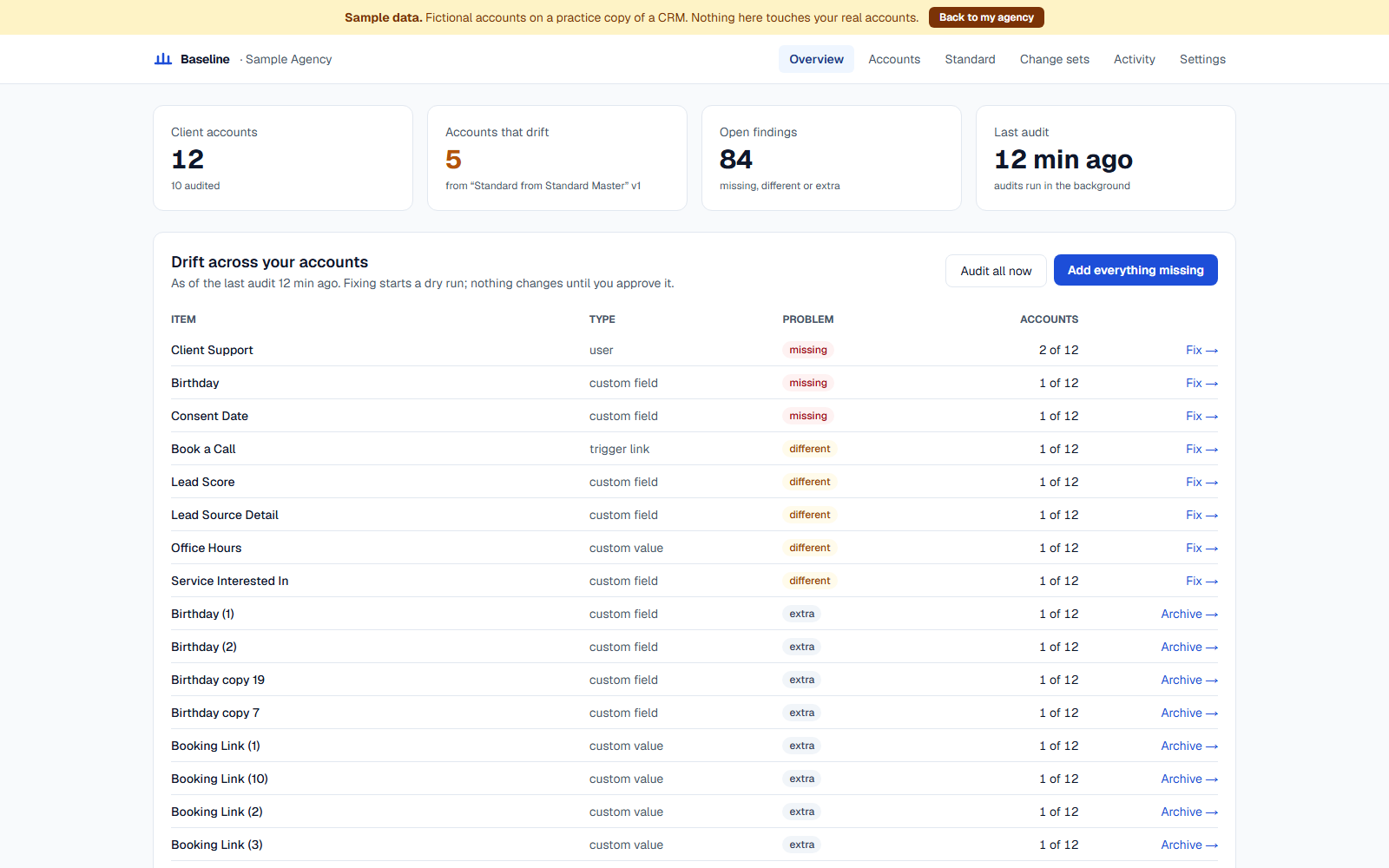
Every account is checked against your standard: what's missing, what's different, what's extra.
- 4
Fix it safely
One change set across all of them, with a preview first, a schedule if you want one, a log after, and an undo.
Drift audit
Know which accounts are off, without opening them
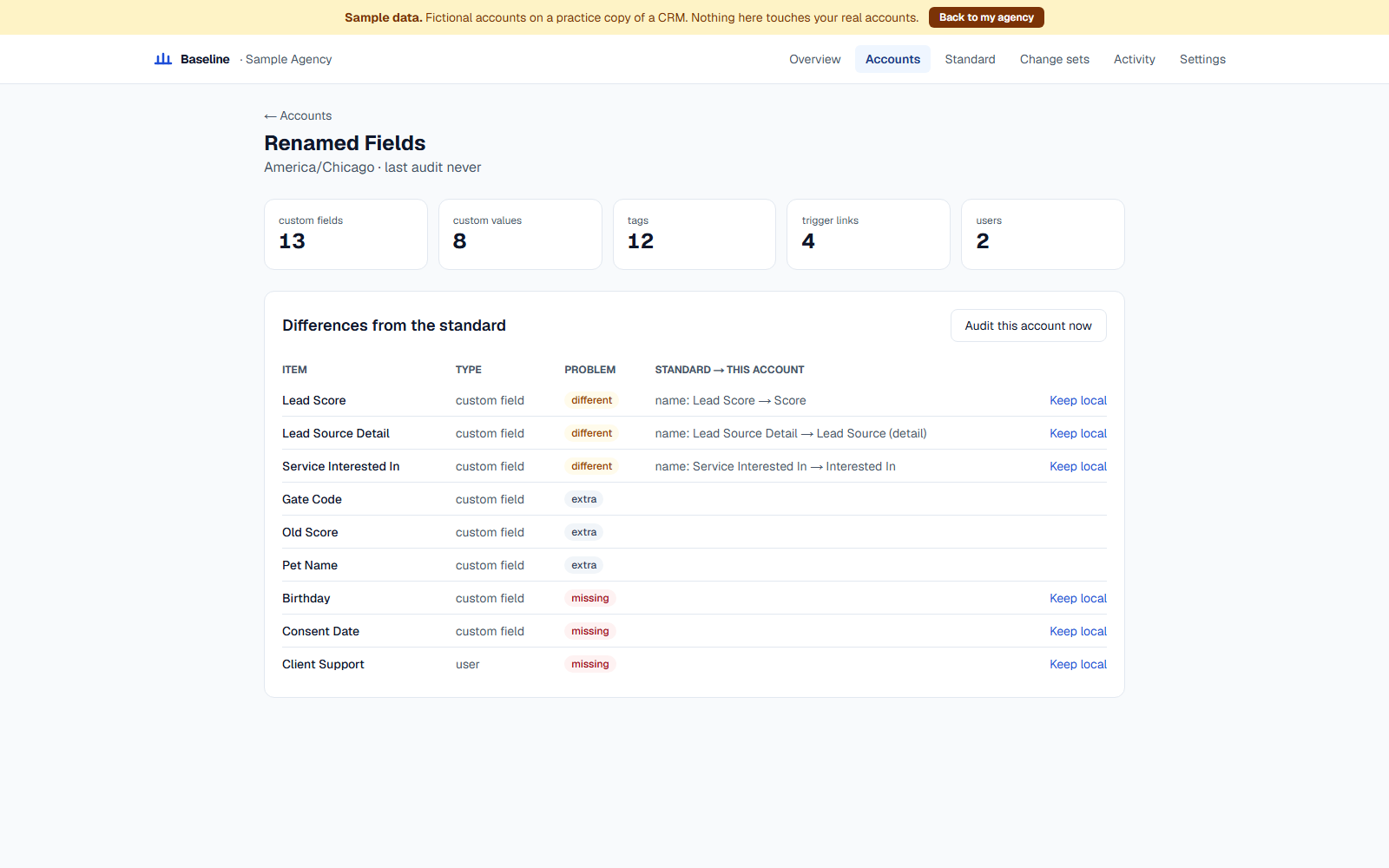
Each account is compared with your standard: custom fields, custom values, tags, trigger links and users. You get one summary for the whole agency and a page per account.
- “31 of 120 accounts are missing 'Lead Score'”
- Client admins who should be users, flagged
- Mark an item “keep local” when a client really is different
Dry run
See exactly what will change, before anything does
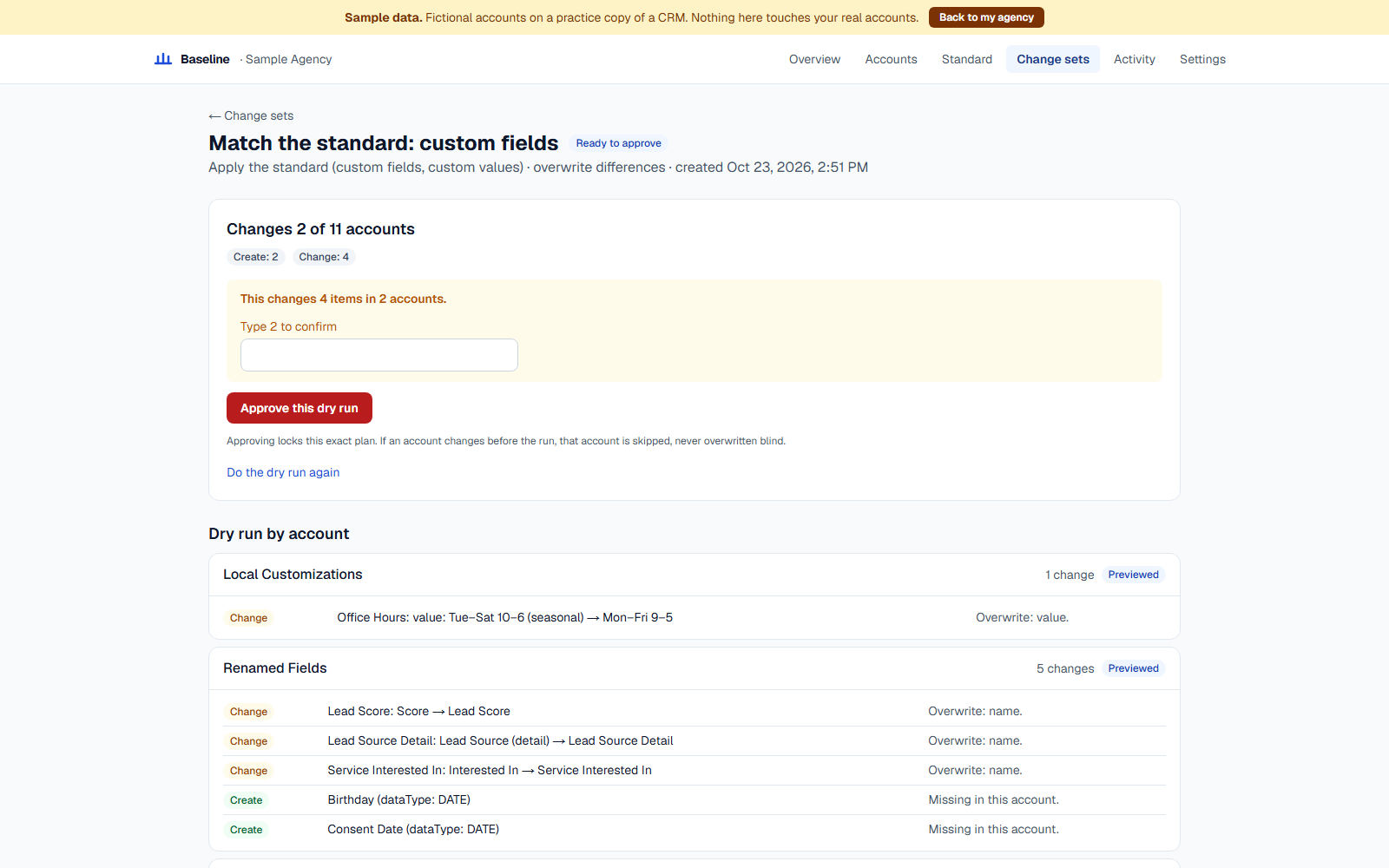
Every change set starts with a preview of each account: what will be created, changed or archived, field by field. Nothing is written until you approve that exact preview.
- Your own name, phone and website filled in per account
- Skip or overwrite when an account differs
- Your own agency account and VIP clients can be protected
Results and undo
A log of every account, and one click to put it back
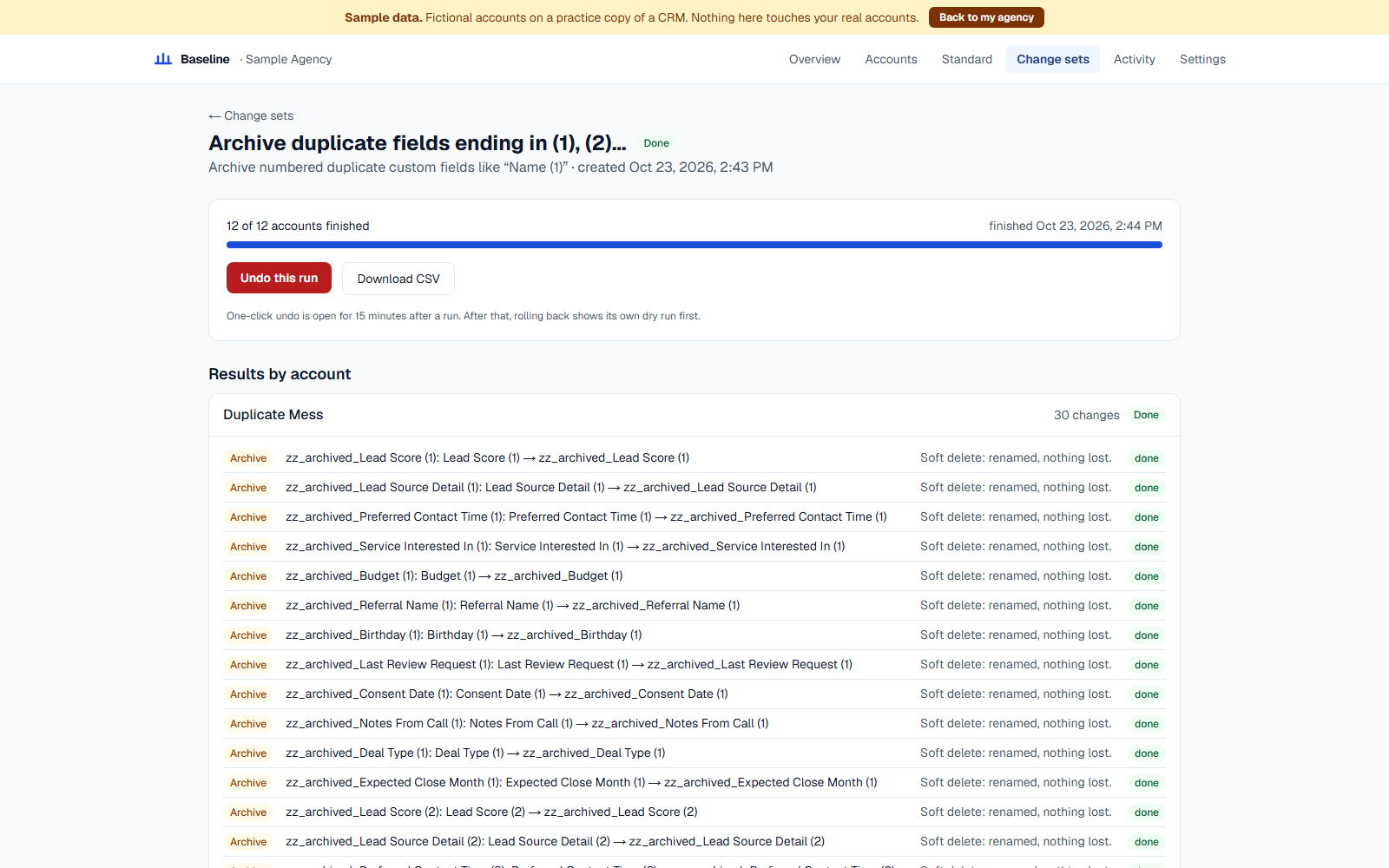
After a run, every account shows done, skipped (and why) or failed (with the CRM's own error and a retry button). For 15 minutes after, one click undoes the whole run.
- Deletes are archives by default: nothing is lost
- Rollback leaves alone anything someone changed since
- Export the log as CSV
What it can and can't do
Changes, previews and undoes
- Custom fields
- Custom values
- Tags
- Trigger links
- Users and their roles
Doesn't touch
- — Workflows, pipelines, funnels (no API for it)
- — Contacts and messages
- — Snapshot pushes (it can't undo those)
Simple pricing
One price for your agency, not per client. 14-day free trial of the Agency plan.
Free
See the drift in every account
$0/month
Any number of accounts
- Weekly drift audit
- Agency summary and per-account findings
- No changes made
Starter
Fix small agencies' accounts
$97/month
Up to 25 accounts
- Nightly audit
- Change sets with dry run and log
- Soft delete and 30-day rollback
Most popular
Agency
For a growing book of clients
$197/month
Up to 100 accounts
- Everything in Starter
- Scheduled runs and maintenance windows
- Slack alerts
Scale
Hundreds of accounts
$397/month
Unlimited accounts
- Everything in Agency
- 90-day rollback
- Audit export and priority support
Yearly: 10 months' price for 12. Prices may change before launch.
Questions
Which CRM does it work with?
HighLevel, installed from its app marketplace at the agency level. Everything we say here about "your CRM" means that.
Does it replace snapshots?
No. Snapshots push structure: workflows, pipelines, funnels. Baseline keeps the things snapshots don't manage well consistent — fields, values, tags, trigger links and users — and shows you what changed.
What can rollback restore?
Configuration: fields, values, tags, links and users. Deletes are soft by default (the item is archived, not destroyed), so nothing is lost unless you choose a permanent delete. Rollback can't undo a snapshot push, and a permanently deleted field's contact data can't come back.
Can it change my workflows, pipelines or funnels?
No. The CRM's API doesn't allow it. Baseline only changes what the API can safely read and write.
Does it read my clients' contacts or messages?
No. It reads and writes configuration only: field names, tag names, link addresses, user emails and roles. Never contact details or messages.
Is there a free plan?
Yes. See which client accounts drift from your standard, free, for any number of accounts. Pay when you want to fix them.
How is it billed?
Through the CRM's app marketplace, on the card your agency already has there. One price for your agency, not per client, with a 14-day free trial of the Agency plan.
When can I use it?
We're opening early access to a small group of agencies first. Join the waitlist and we'll email you when your spot is ready.
Get early access
We're letting a small group of agencies in first. Tell us a little about yours and we'll email you when your spot is ready.